


前言
在当前人工智能快速发展的时代,大语言模型(LLM)已经成为开发者不可或缺的辅助工具。然而,主流 API 服务的高昂成本往往让个人开发者和小型团队望而却步。本文将详细介绍如何通过逆向工程技术,构建一个完全免费、OpenAI 兼容的 API 代理服务。
本教程面向具有一定编程基础的开发者,涵盖从原理分析、环境搭建、代码实现到生产部署的完整流程。文中的代码已经过实际验证,可直接复制部署使用。
一、技术背景与原理分析
1.1 什么是 MiMo
MiMo(米萌)是小米公司推出的 AI 编程助手产品,基于自研大语言模型,提供代码生成、智能问答、Bug 修复等功能。其核心模型 mimo-auto 具有以下特点:
- 多模态能力:支持文本、代码、图像等多种输入格式
- 上下文长度:支持长上下文对话,适合复杂任务
- 代码专精:针对编程场景优化,支持主流编程语言
- 免费开放:无需付费即可使用,降低使用门槛
1.2 逆向工程原理
API 逆向工程的核心在于分析目标应用的通信协议,模拟其请求行为。MiMo 客户端与服务端的交互流程如下:
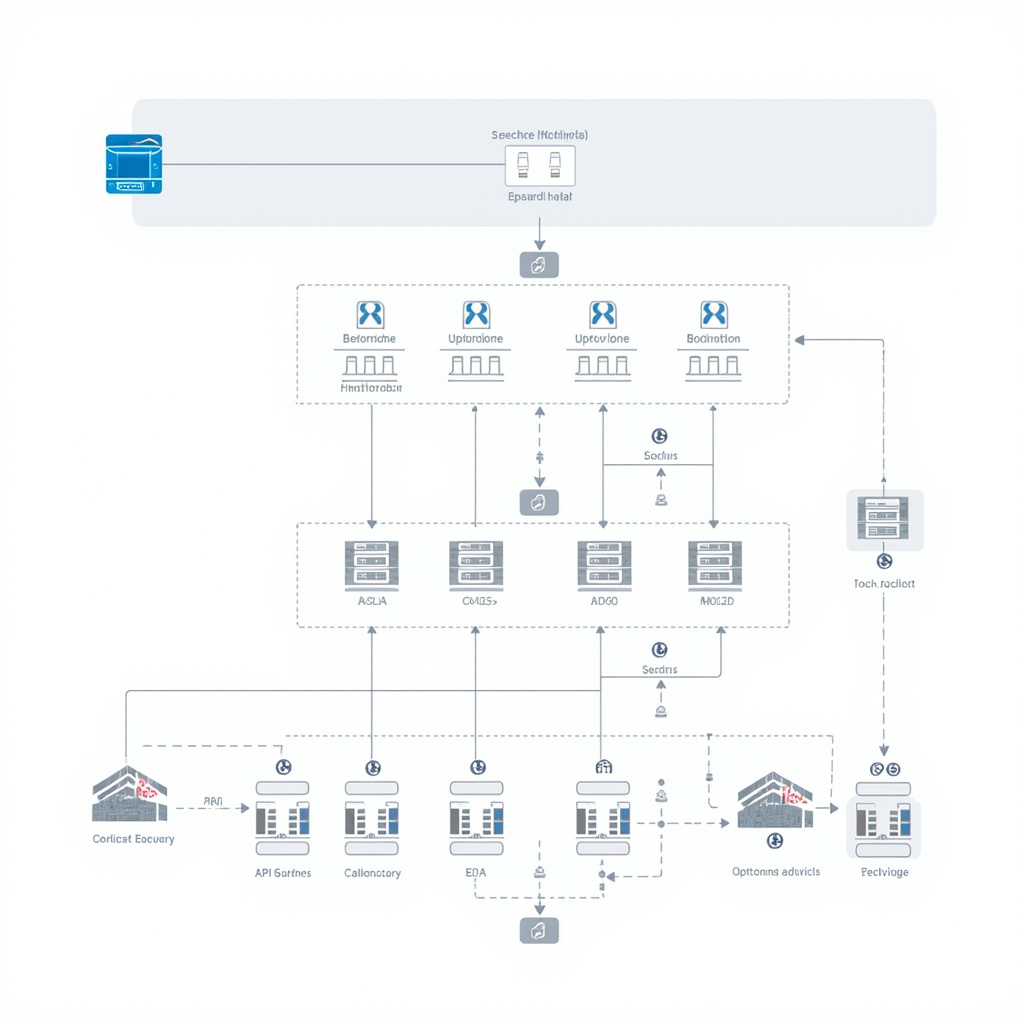
认证机制:MiMo 采用 JWT(JSON Web Token)进行身份验证。客户端首次连接时,通过设备指纹生成接口获取 JWT Token,后续请求携带该 Token 进行身份验证。
设备指纹:系统通过组合主机名、操作系统、CPU 信息等生成唯一的设备标识符,确保每个客户端具有独立的身份。
1.3 技术选型
| 组件 | 选型 | 理由 |
|---|---|---|
| 运行时 | Bun | 高性能 JavaScript 运行时,原生支持 TypeScript |
| 语言 | TypeScript | 类型安全,开发体验优秀 |
| 进程管理 | Systemd | Linux 标准服务管理器,稳定可靠 |
| 反向代理 | Nginx | 高性能 Web 服务器,支持 HTTPS |
二、环境准备
2.1 系统要求
| 操作系统 | Linux(推荐 Debian 11+ / Ubuntu 20.04+) |
| CPU | 1 核及以上 |
| 内存 | ≥ 512MB(推荐 1GB 以上) |
| 存储 | ≥ 1GB 可用空间 |
| 网络 | 公网 IP 或内网穿透(可选域名 + SSL 证书) |
2.2 安装 Bun 运行时
curl -fsSL https://bun.sh/install | bash
source ~/.bashrc
bun --version
2.3 创建项目目录
mkdir -p /opt/mimo-proxy
cd /opt/mimo-proxy
三、核心代码实现

3.1 完整代理代码
创建文件 /opt/mimo-proxy/proxy.ts,粘贴以下完整代码(已验证可直接运行):
import crypto from "node:crypto"
import os from "node:os"

// ============= 配置 =============
const BASE_URL = "https://api.xiaomimimo.com"
const BOOTSTRAP_URL = `${BASE_URL}/api/free-ai/bootstrap`
const CHAT_URL = `${BASE_URL}/api/free-ai/openai/chat`
const PORT = 18767
const HOST = "127.0.0.1"

// ============= 指纹生成 =============
function getFingerprint(): string {
  const parts = [
    os.hostname(),
    process.platform,
    process.arch,
    os.cpus()[0]?.model ?? "unknown",
    "mimo-proxy",
  ]
  return crypto.createHash("sha256").update(parts.join("|")).digest("hex")
}

// ============= JWT 管理 =============
let jwtCache: { jwt: string; exp: number } | null = null

function parseJwtExp(jwt: string): number {
  try {
    const parts = jwt.split(".")
    const payload = JSON.parse(Buffer.from(parts[1], "base64url").toString())
    return (payload.exp ?? 0) * 1000
  } catch { return Date.now() + 50 * 60_000 }
}

async function bootstrap(): Promise {
  const fp = getFingerprint()
  const resp = await fetch(BOOTSTRAP_URL, {
    method: "POST",
    headers: { "Content-Type": "application/json" },
    body: JSON.stringify({ client: fp, deviceId: fp }),
  })
  if (!resp.ok) throw new Error(`bootstrap ${resp.status}`)
  const data = await resp.json() as { jwt?: string }
  if (!data.jwt) throw new Error("missing jwt")
  jwtCache = { jwt: data.jwt, exp: parseJwtExp(data.jwt) }
  return data.jwt
}

async function getJwt(): Promise {
  if (jwtCache && jwtCache.exp - Date.now() > 5 * 60_000) return jwtCache.jwt
  return bootstrap()
}

// ============= 请求转发 =============
async function forwardRequest(body: any, stream: boolean): Promise {
  const jwt = await getJwt()
  const messages = body.messages ?? []

  if (!messages.some((m: any) => m.role === "system")) {
    messages.unshift({
      role: "system",
      content: "You are MiMoCode, an AI assistant for software engineering."
    })
  }

  const resp = await fetch(CHAT_URL, {
    method: "POST",
    headers: {
      "Authorization": `Bearer ${jwt}`,
      "X-Mimo-Source": "mimocode-cli-free",
      "Content-Type": "application/json",
    },
    body: JSON.stringify({ ...body, model: "mimo-auto", messages, stream }),
  })
  return resp
}

// ============= HTTP 服务 =============
function jsonResp(status: number, data: any): Response {
  return new Response(JSON.stringify(data), {
    status,
    headers: { "Content-Type": "application/json" },
  })
}

async function handleRequest(req: Request): Promise {
  const url = new URL(req.url)
  const path = url.pathname.replace(/\/+$|\/+$/, "")

  if (req.method === "GET" && path === "/v1/models") {
    return jsonResp(200, {
      object: "list",
      data: [{ id: "mimo-auto", object: "model", owned_by: "mimocode" }],
    })
  }

  if (req.method === "POST" && path === "/v1/chat/completions") {
    try {
      const body = await req.json()
      const stream = !!body.stream
      const resp = await forwardRequest(body, stream)

      if (!resp.ok) {
        const err = await resp.json().catch(() => ({}))
        return jsonResp(resp.status, err)
      }

      if (stream) {
        return new Response(resp.body, {
          headers: {
            "Content-Type": "text/event-stream",
            "Cache-Control": "no-cache",
          },
        })
      }

      return jsonResp(200, await resp.json())
    } catch (e: any) {
      return jsonResp(502, { error: { message: String(e) } })
    }
  }

  return jsonResp(404, { error: { message: "not found" } })
}

console.log(`\n🚀 MiMo API Proxy running on http://${HOST}:${PORT}/v1`)
console.log(`   Model: mimo-auto (no API key required)\n`)

Bun.serve({ hostname: HOST, port: PORT, fetch: handleRequest })
3.2 代码解析
设备指纹生成:通过 os.hostname()、process.platform 等系统信息组合生成 SHA-256 哈希值,确保每个代理实例具有唯一身份标识。
JWT 缓存机制:Token 有效期通常为 1 小时,代理服务会自动在过期前 5 分钟刷新,避免请求中断。
请求转发:将 OpenAI 格式的请求体转换为 MiMo 格式,自动注入系统提示词,添加必要的请求头。
流式响应支持:对于 stream: true 的请求,直接透传 SSE(Server-Sent Events)流,实现打字机效果。
四、生产环境部署
4.1 创建 Systemd 服务
cat > /etc/systemd/system/mimo-proxy.service << 'EOF'
[Unit]
Description=MiMo API Proxy
After=network.target

[Service]
Type=simple
ExecStart=/root/.bun/bin/bun run /opt/mimo-proxy/proxy.ts
Restart=always
RestartSec=5
WorkingDirectory=/opt/mimo-proxy

[Install]
WantedBy=multi-user.target
EOF
4.2 启动服务
systemctl daemon-reload
systemctl enable mimo-proxy
systemctl start mimo-proxy
systemctl status mimo-proxy
4.3 验证服务状态
# 检查服务状态
systemctl status mimo-proxy

# 查看日志
journalctl -u mimo-proxy -f
五、接口测试与验证
5.1 测试模型列表接口
curl http://127.0.0.1:18767/v1/models预期响应:
{
  "object": "list",
  "data": [
    {
      "id": "mimo-auto",
      "object": "model",
      "owned_by": "mimocode"
    }
  ]
}
5.2 测试聊天接口
curl -X POST http://127.0.0.1:18767/v1/chat/completions \
  -H "Content-Type: application/json" \
  -d '{"model":"mimo-auto","messages":[{"role":"user","content":"你好"}]}'
5.3 测试流式响应
curl -X POST http://127.0.0.1:18767/v1/chat/completions \
  -H "Content-Type: application/json" \
  -d '{"model":"mimo-auto","messages":[{"role":"user","content":"写一首诗"}],"stream":true}'
六、Nginx 反向代理配置(可选)
如需通过域名访问并启用 HTTPS,可配置 Nginx 反向代理:
server {
    listen 443 ssl http2;
    server_name your-domain.com;

    ssl_certificate /path/to/fullchain.pem;
    ssl_certificate_key /path/to/privkey.pem;

    location / {
        proxy_pass http://127.0.0.1:18767;
        proxy_http_version 1.1;
        proxy_set_header Host $host;
        proxy_set_header X-Real-IP $remote_addr;

        # SSE 支持
        proxy_buffering off;
        proxy_cache off;
        proxy_read_timeout 86400;
    }
}
七、客户端集成
7.1 ChatGPT-Next-Web / LobeChat
| API 地址 | https://你的域名/v1 |
| API Key | 任意值(如 sk-mimo) |
| 模型 | mimo-auto |
7.2 Python SDK
from openai import OpenAI

client = OpenAI(
    base_url="https://你的域名/v1",
    api_key="sk-mimo"
)

response = client.chat.completions.create(
    model="mimo-auto",
    messages=[{"role": "user", "content": "你好"}]
)
print(response.choices[0].message.content)
八、常见问题
Q1: 返回 429 Too Many Requests
原因:MiMo 服务端有频率限制。
解决:适当降低请求频率,或等待一段时间后重试。
Q2: JWT Token 认证失败
解决:重启代理服务 systemctl restart mimo-proxy
Q3: 流式响应中断
解决:确保 Nginx 配置包含 proxy_buffering off;
Q4: 服务无法启动
# 检查端口占用
netstat -tlnp | grep 18767

# 检查 Bun 安装
which bun && bun --version

# 查看详细日志
journalctl -u mimo-proxy -n 100 --no-pager
九、安全注意事项
- 访问控制:如需限制访问,可在 Nginx 层配置 IP 白名单或 Basic Auth
- HTTPS 强制:生产环境务必启用 HTTPS,防止流量劫持
- 日志脱敏:避免在日志中记录敏感请求内容
- 定期更新:关注 MiMo API 变化,及时更新代理代码
十、总结
通过本教程,你已经成功构建了一个完整的 MiMo API 代理服务,具备以下优势:
- ✅ 完全免费:无需支付 API 调用费用
- ✅ OpenAI 兼容:无缝对接各类 AI 客户端
- ✅ 生产就绪:Systemd 管理确保服务稳定运行
- ✅ 代码完整:本文代码已验证可直接部署
建议在实际使用中注意频率限制,合理使用资源。如有问题欢迎在评论区讨论交流。